Unifying fragmented workflows into a scalable communication experience.
How I turned a rapidly-fragmenting cloud telephony platform into a unified workspace that eliminated context-switching for enterprise agents.
Problem statement
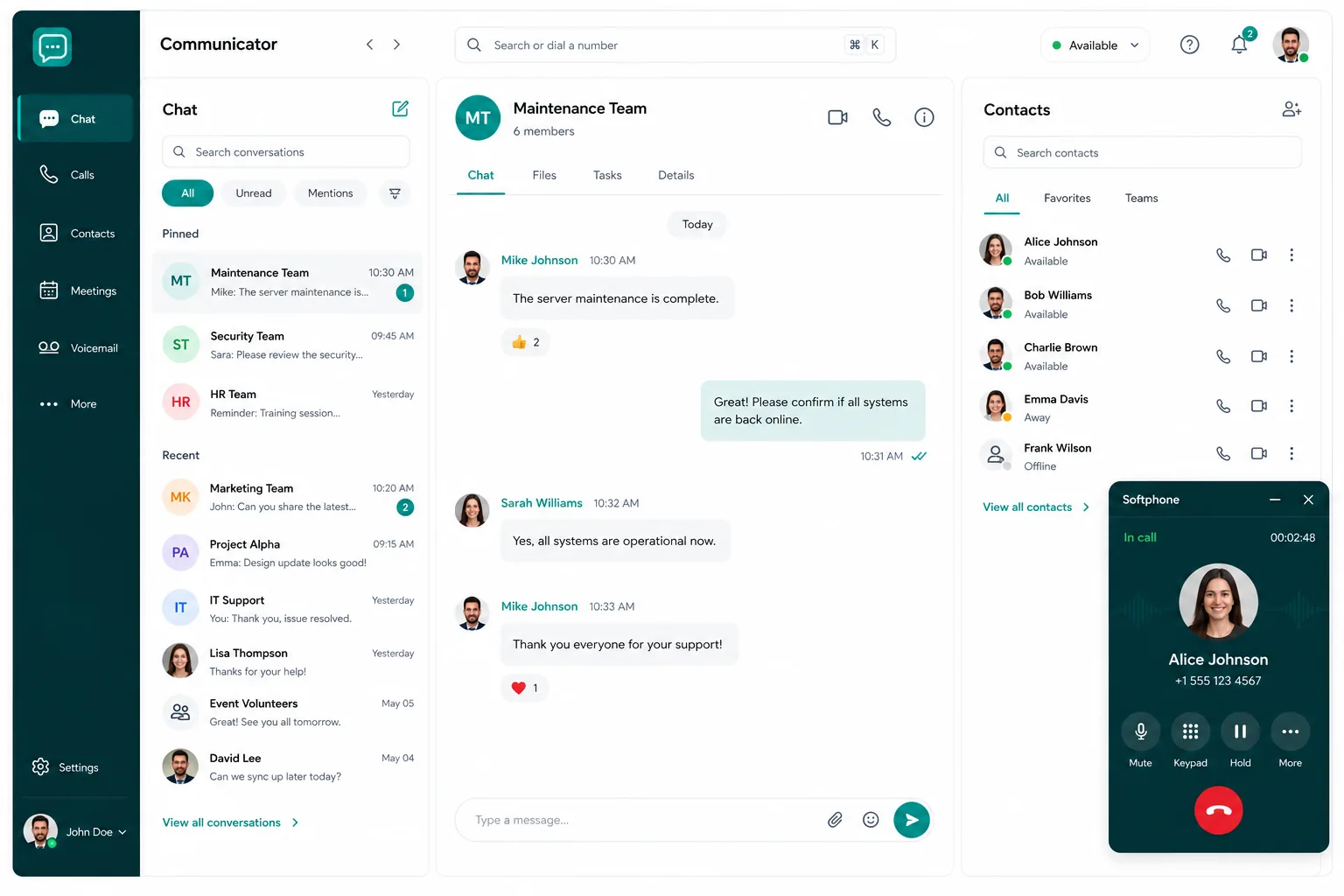
As Voyce Communicator rapidly evolved with continuous feature additions, the user experience became increasingly fragmented. Users struggled to manage multiple communication tasks efficiently, leading to confusion, delays, and a high cognitive load when switching between channels.
Research and cohort observations pointed to a clear problem: the issue wasn't a lack of features, but the lack of a unified, intuitive workflow to manage the increasing complexity. Users found themselves trapped in siloed interfaces, constantly losing context when moving between calls and chat.
Hypothesis
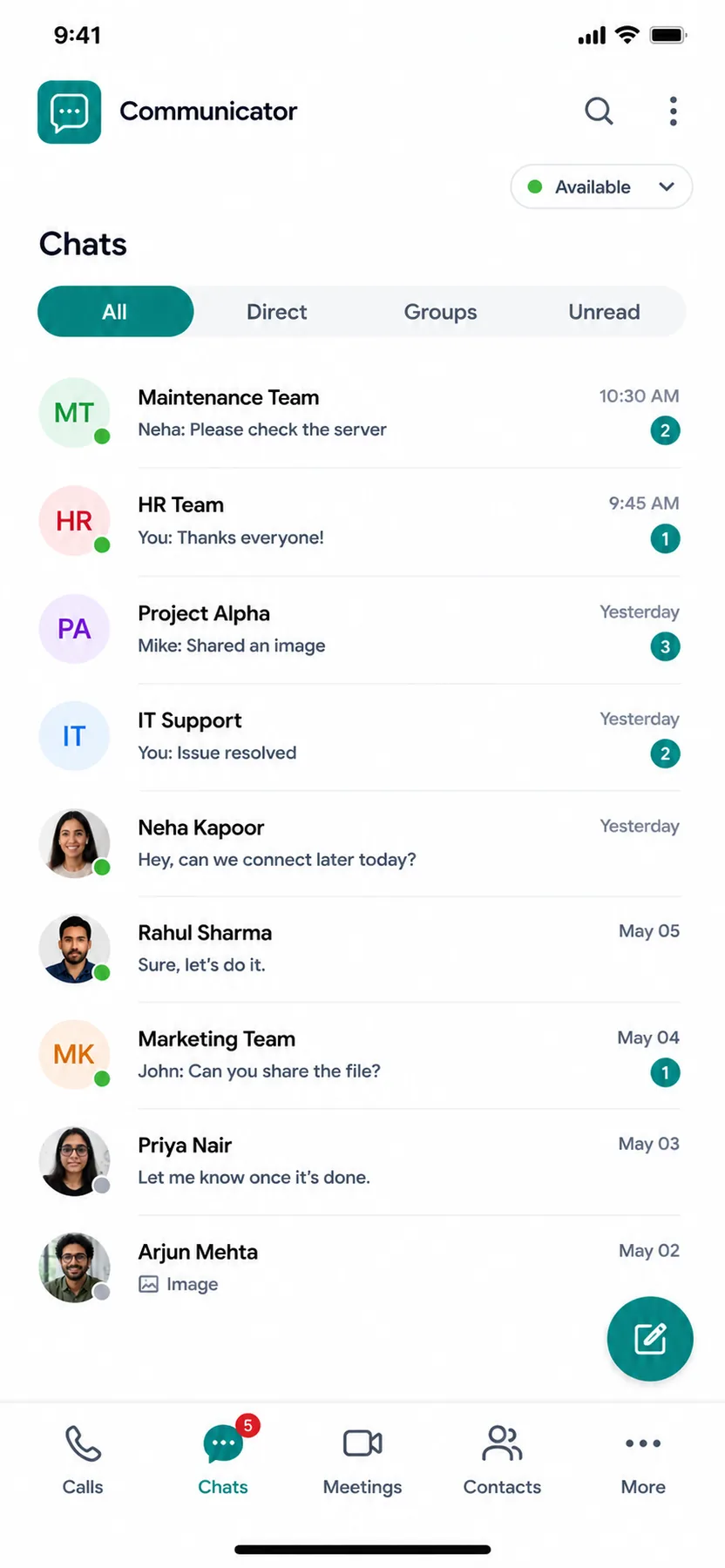
The team's initial instinct was to create separate modules for each mode - calls vs. chat - to keep interfaces clean. Usability testing and workflow mapping revealed that separating these modes drastically increased context switching.
“If we design a centralised, unified communication interface with a clear hierarchy for active vs. secondary tasks, users will handle interactions faster, reduce context switching, and maintain context without feeling overwhelmed.”
Research & analysis
To ground design decisions in real-world friction, we ran three parallel research workstreams. The key insight: power users needed to monitor secondary interactions without abandoning their primary workflow.
-
01
Real-user feedbackOngoing usage observations and support tickets surfacing multi-tasking delays as a recurring frustration.
-
02
Stakeholder inputBusiness requirements and priorities captured directly from product leadership and account management.
-
03
Task analysis & workflow mappingPinpointed exactly where users lost context when switching between softphone and active chats.
Stakeholder management
Stakeholders wanted immediate, visible access to every tool in the main interface, which risked cluttering the UI. Rather than pushing back on instinct, I mapped task frequency and usability results to demonstrate that burying low-frequency actions cleared cognitive load for primary tasks.
- ·Unified system vs. feature-specific modulesPrioritised a single system over separate screens to reduce the mental tax of context switching.
- ·Power-user efficiency vs. simplicityProgressive disclosure patterns ensured new users weren't overwhelmed by advanced features.
- ·Deferred low-frequency featuresKept the primary screen focused solely on current active and secondary tasks, not the full feature set.
Design process & solutions
The core challenge: how do we create an interface that feels lightweight while hosting multiple communication streams at once?
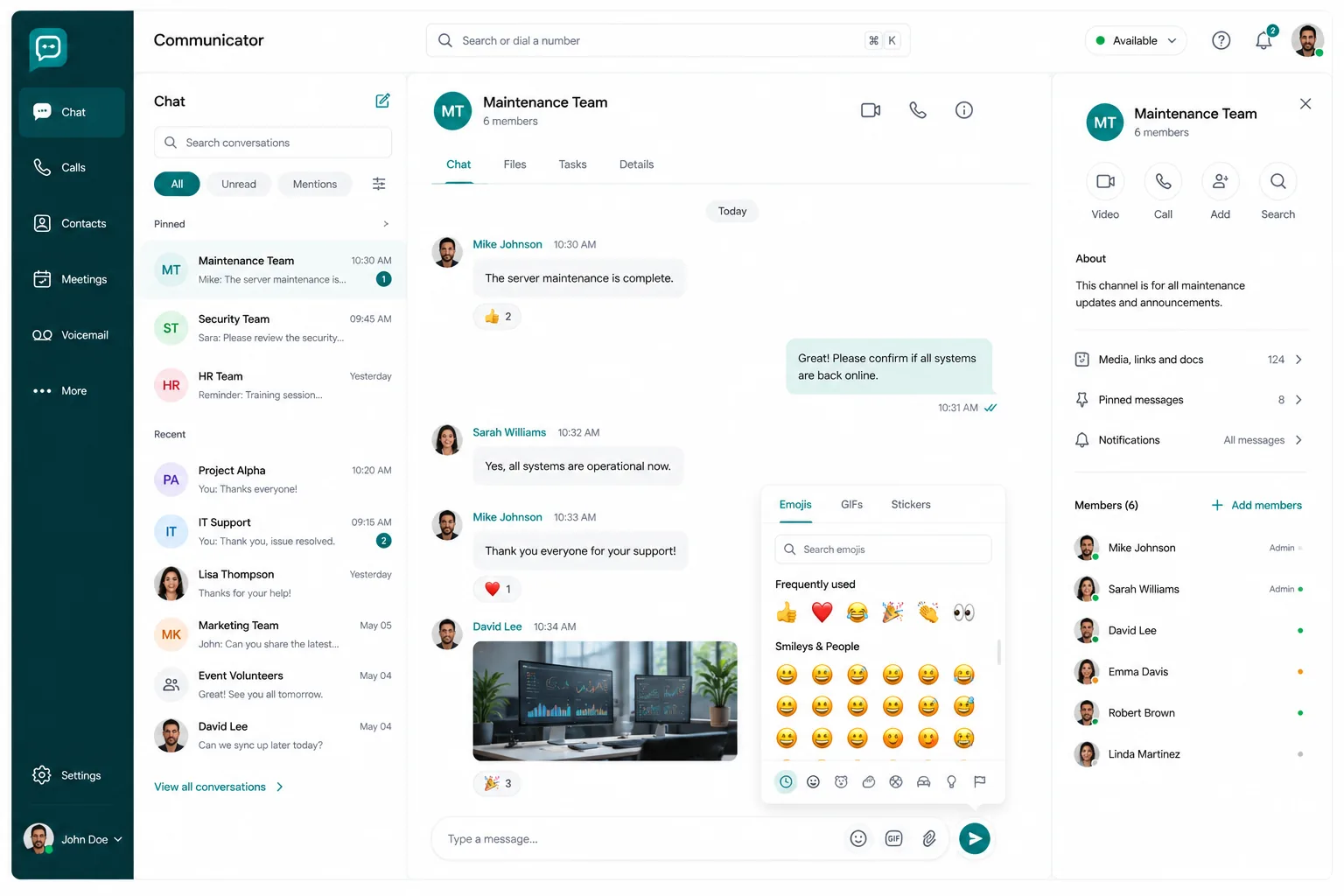
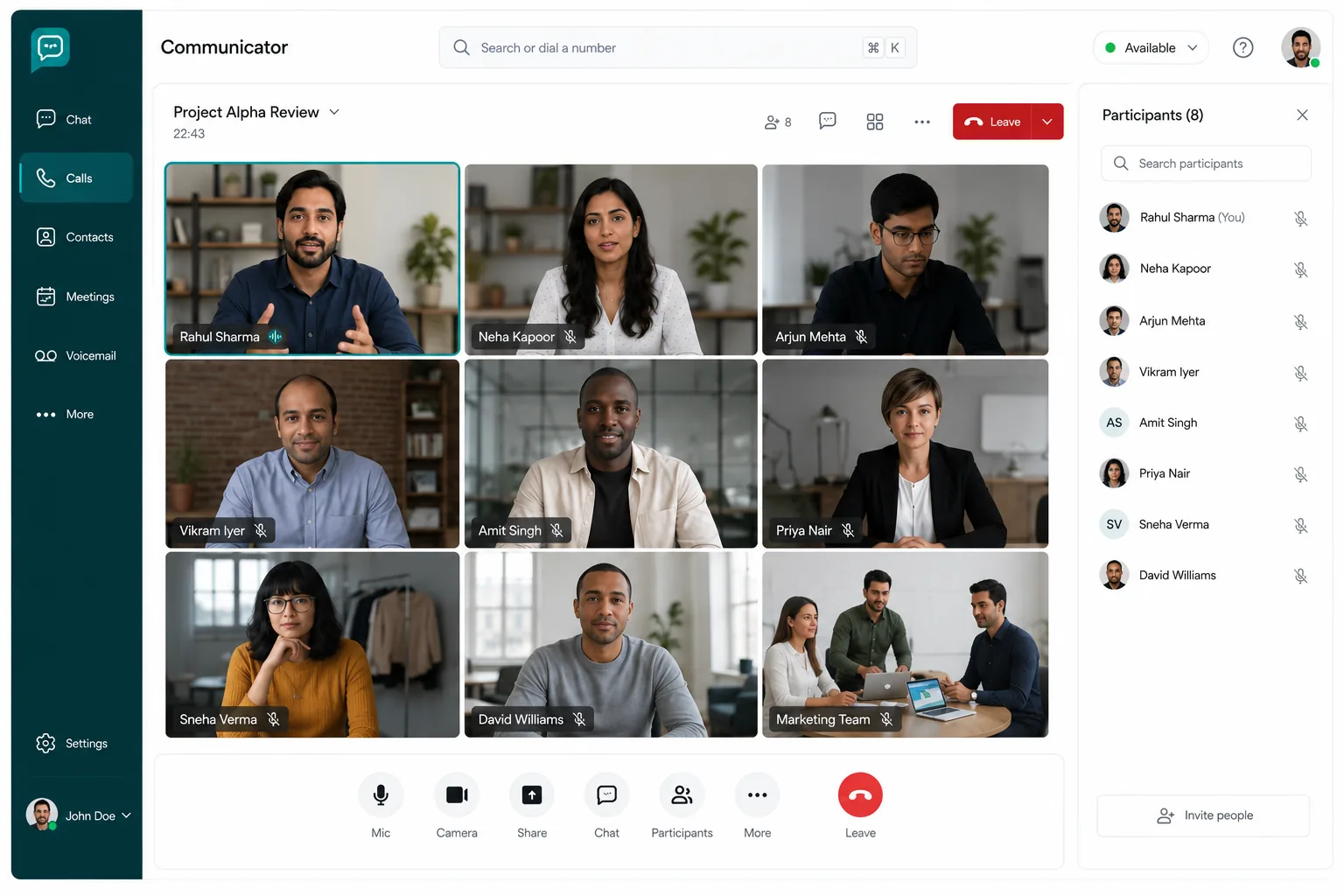
Early explorations with dedicated, feature-based tabs and a separated softphone resulted in high context-switching friction. The final design centres on a unified communication interface that seamlessly blends voice and messaging tasks.
- 01Centralised commandAll active lines and chats displayed in one high-visibility view - no more window-hopping between siloed interfaces.
- 02Visual hierarchyClear visual separation between active tasks (current call) and secondary tasks (waiting chat, on-hold line).
- 03One-click task switchingDrag-and-drop or one-click switching between active states - no new windows.
- 04Non-intrusive notificationsA subtle notification pill displays message snippets without covering the active call details.
Outcomes & impact
Reflections
Designing for a rapidly expanding system taught me that the best time to unify an experience is before complexity outpaces the product.
- 01Simplify over stackingAdding isolated features rarely helps when users are already experiencing context fatigue. Unification is a product strategy, not just a design decision.
- 02Hierarchies preserve contextClearly dividing active tasks from secondary ones keeps users anchored during complex multi-tasking scenarios - this principle scales beyond communication tools.
“Voice and Text Sync - expanding the workspace to convert from chat to softphone without losing thread history. CRM support widgets integrated into the secondary task pane.”